

Customized Apps Development

By Abass
Categories: Software Engineering
About Course
Customized Apps Development refers to the process of designing, building, and deploying software applications that are tailored specifically to meet the unique needs of a particular business, organization, or individual—rather than using generic, off-the-shelf software.
What it really means
Instead of forcing your workflow to fit a ready-made system, customized app development creates a solution that fits your exact processes, rules, and goals.
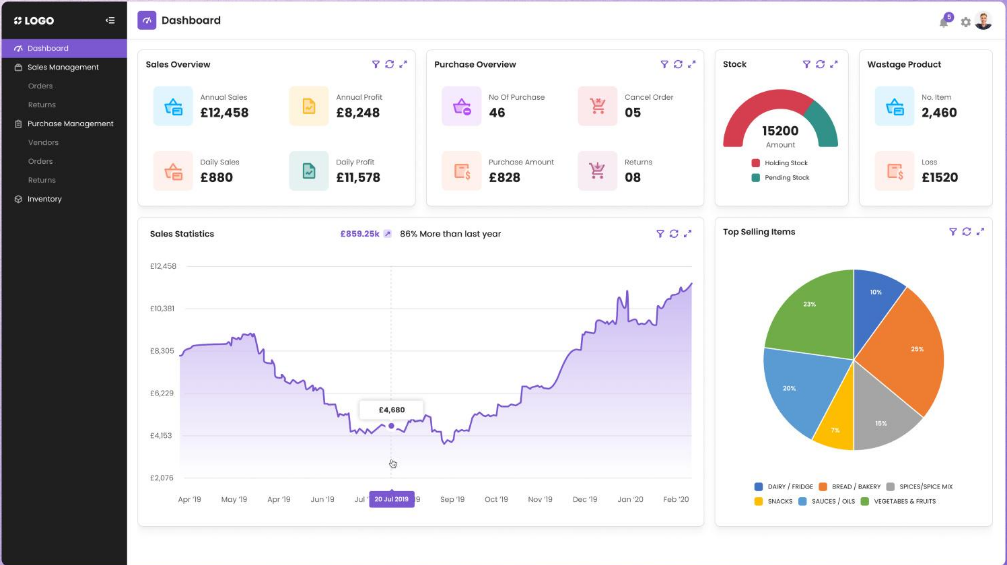
For example, using the Microsoft Access system to build (inventory/POS + dashboard + reports) is a customized application, because it’s designed specifically for your structure, tables, and reporting needs.
Key Features
- Tailored functionality – built around your exact requirements
- Scalability – can grow as your business expands
- Integration – connects with existing systems (e.g., accounting, payments)
- User-focused design – interfaces built for your team, not the general public
- Automation – reduces manual work (alerts, calculations, reporting)
Typical Development Process
- Requirement Gathering
Understand what the user/business needs - System Design
Plan database, forms, workflows, and user interface - Development
Build the app using tools like:- Microsoft Access
- Visual Basic for Applications (VBA)
- Web/mobile frameworks (if needed)
- Testing
Fix errors and ensure everything works correctly - Deployment
Deliver the app for real use - Maintenance & Updates
Improve and adjust as needs change
Examples of Customized Apps
- School management system (fees, students, results)
- Inventory/POS system
- Hospital management system
- HR and payroll system
- Customer relationship management (CRM)
Why Businesses Choose Custom Apps
- Off-the-shelf software may be too limited or too complex
- Custom apps improve efficiency and accuracy
- They provide a competitive advantage
- Full control over features and data
Custom vs Off-the-Shelf
| Custom Apps | Off-the-Shelf Apps |
|---|---|
| Built for your needs | Built for everyone |
| Flexible & scalable | Limited flexibility |
| Higher initial cost | Lower upfront cost |
| Long-term value | May require subscriptions |
Course Content
Advanced VBA Master Guide (MS Access)
Introduction
Chapter 1: Variables (Master Level)
Chapter 2: Control Structures
Chapter 3: LOOPS
Chapter 4: Working with Forms
Your Learning RoadMap
WEEK 1 – DAY 1: Understanding Microsoft Access
WEEK 1 – DAY 2: Tables + Relationships (VERY IMPORTANT)
WEEK 1 – DAY 3: QUERIES (Your First Step into SQL)
WEEK 1 – DAY 4: FILTERING, SORTING & CALCULATIONS
WEEK 1 – DAY 5: GROUP BY (REAL BUSINESS SQL)
WEEK 1 – DAY 6: CALCULATED FIELDS (VERY POWERFUL)
WEEK 1 – DAY 7: BUILD YOUR FIRST DASHBOARD
Student Ratings & Reviews

No Review Yet