
Computer Basics

By Abass Categories: Beginner
Wishlist Share

About Course

Course Overview


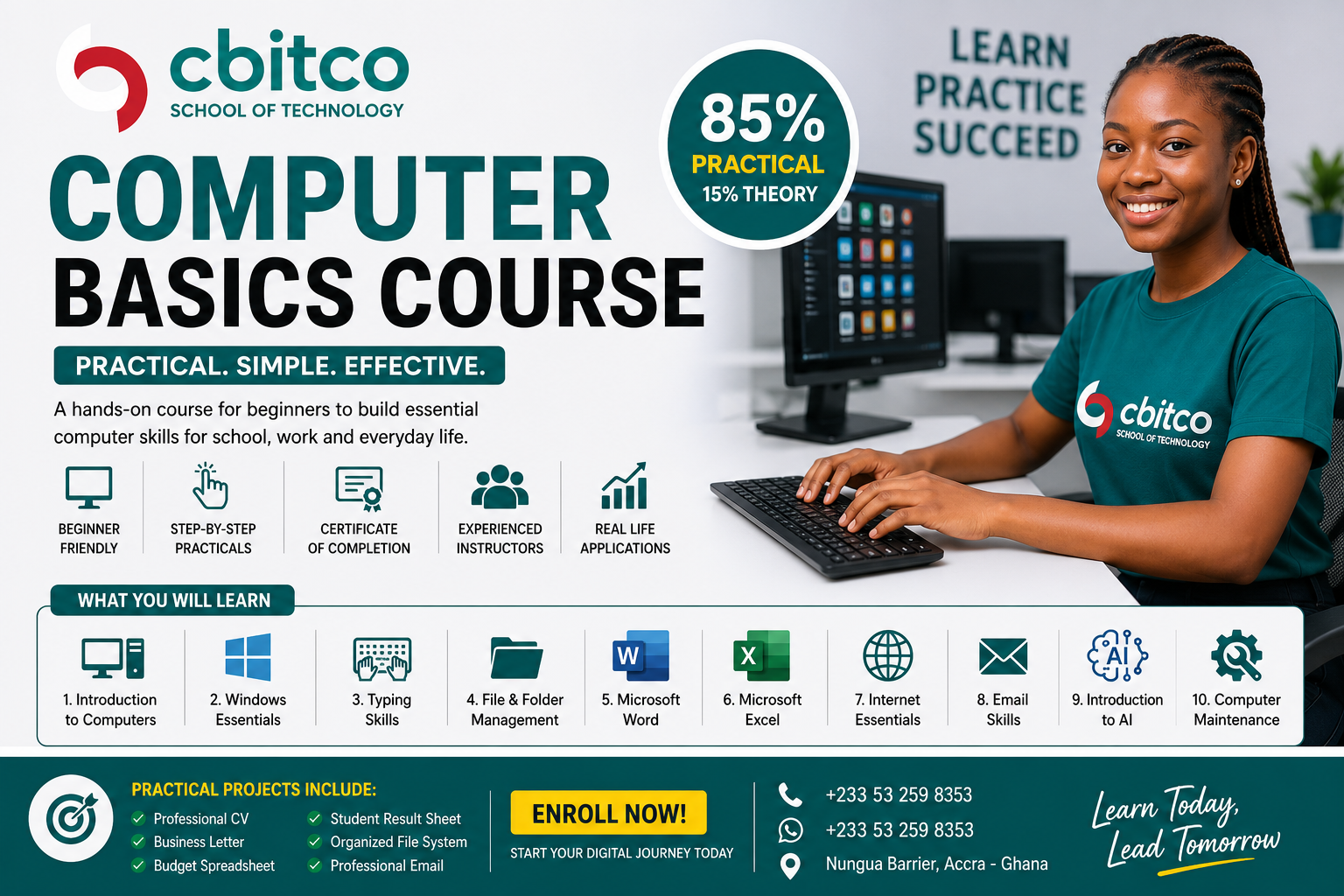
Our Computer Basics Course is designed for complete beginners who want to become confident computer users. The training is highly practical, with over 85% hands-on exercises that allow students to practice every concept immediately.

Whether you are a student, job seeker, entrepreneur, or professional, this course will equip you with the essential computer skills needed in today’s digital world.


Why Choose This Course?


  • 85% Practical Training with guided, hands-on exercises.
  • Step-by-Step Lessons designed for complete beginners.
  • Experienced Instructors providing personalized support.
  • Real-Life Projects to build practical confidence.
  • Certificate of Completion awarded upon successful completion.
Show More

What Will You Learn?

  • Operate a computer confidently
  • Type accurately and efficiently
  • Organize files and folders professionally
  • Create and format Microsoft Word documents
  • Build spreadsheets in Microsoft Excel
  • Use the internet safely and effectively
  • Send professional emails
  • Use AI tools to improve productivity
  • Perform basic computer maintenance
  • Apply digital skills in school, business, and the workplace

Course Content

Module 1: Introduction to Computers
✔ Identifying different computer types✔ Identifying computer components✔ Turning the computer ON and OFF correctly✔ Understanding desktop and laptop parts✔ Connecting keyboard, mouse, monitor and power cables✔ Using the mouse confidently✔ Using left click, right click, double click and drag✔ Basic keyboard functions

  • Lesson 1: What is a Computer?
  • Lesson 2: Types of Computers
  • Lesson 3: Parts of a Computer
  • Lesson 4: Input and Output Devices
  • Lesson 5: Connecting a Desktop Computer
  • Lesson 6: Starting and Shutting Down a Computer
  • Lesson 7: Introduction to the Mouse
  • Lesson 8: Introduction to the Keyboard

Module 2: Understanding Windows Operating System
Module OverviewIn this module, students will learn how to confidently use the Microsoft Windows operating system. The training is highly practical, allowing students to navigate the desktop, manage windows, organize files, customize settings, and use built-in Windows tools. Learning ObjectivesBy the end of this module, students will be able to:✔ Understand what an operating system is.✔ Log into Windows safely.✔ Navigate the Windows desktop confidently.✔ Use the Start Menu efficiently.✔ Open, switch, minimize, maximize, and close applications.✔ Customize the desktop.✔ Manage taskbar settings.✔ Use File Explorer.✔ Search for files and applications.✔ Use Windows Settings.✔ Lock, sign out, restart, sleep, and shut down a computer correctly.

Module 3: Keyboarding & Typing Skills
Module OverviewTyping is one of the most important computer skills you can learn. Whether you are writing a letter, creating a report, sending an email, or entering data into a spreadsheet, good typing skills will make you faster, more accurate, and more productive.In this module, you will learn the correct way to use a keyboard, proper finger placement, typing techniques, and keyboard shortcuts. Through daily practical exercises, you will improve your typing speed and accuracy without looking at the keyboard.This module is 95% practical. You will spend most of your time practicing and developing muscle memory through guided exercises.

Module 4: Microsoft Word Essentials
Module OverviewMicrosoft Word is one of the world's most widely used word processing applications. It allows you to create professional documents such as letters, reports, CVs, assignments, meeting minutes, invoices, certificates, and much more.This module is designed for beginners and follows a step-by-step practical approach. By the end of the module, you will confidently create, edit, format, save, and print professional documents using Microsoft Word.This module is 90% practical. Every lesson includes hands-on exercises, practical assignments, and real-life projects.Career Skills You Will Gain:After completing this module, you will have practical skills useful for:Office Administration Reception Work Secretarial Duties Customer Service Data Entry School and College Assignments Small Business Documentation Freelance Administrative Support

Student Ratings & Reviews

No Review Yet
No Review Yet
Scroll to Top